How to read a concrete scan
A scan slice looks like a dark smear with arches in it. Once you know why the arches are there, it reads like a drawing.
Before you mark holes from a scan
Stop and call the engineer or a scanning professional if
- the picture stays unclear after a rescan
- dense mesh, wet concrete or metal on the surface hides what is behind it
The short version of this page. The details and sources follow below.
From How to read a concrete scan: drillclear.com/guides/reading-a-concrete-scan, where every step has its sources.
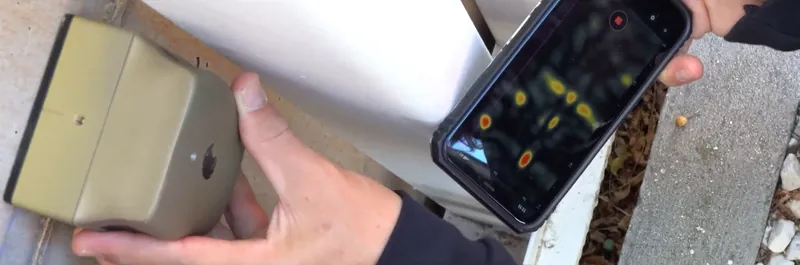
This guide explains the raw picture that GPR and many radar wall scanners show. Eagle XR reads it for you: its App Store listing (read 15 November 2026) describes "a super-clean picture you can read like a photo".
What the slice shows
A slice shows echoes from inside the concrete, with distance along your pass across it and depth down it. A radar scanner sends short radio pulses into the concrete; wherever they meet something with different electrical properties, such as steel, plastic, air or water, part of the energy bounces back. The slice, often called a B-scan, stacks those echoes side by side as you move. Brightness is echo strength, and the bright band along the top is the surface itself.
Why a bar looks like an arch
The scanner hears a bar before and after it passes over it, so the echoes trace an arch. GSSI, a large maker of concrete radar, describes the antenna as radiating in a cone about 60 degrees wide1. Off to one side the echo path is longer, so the slice draws it deeper and the echoes form a hyperbola whose summit is exactly where the target is1.
So the peak of each arch marks the top of the object. Its position along the slice is where you mark the surface; its depth on the scale is the scanner's estimate of the cover.
What different objects look like
Most kinds of object leave a typical mark on the slice, though some look alike.
| Object | On the slice |
|---|---|
| Bar crossing your pass | A sharp, bright arch with a clear peak |
| Bar running along your pass | A flat line at its depth, or nothing clear at all. This is why you also scan at 90 degrees. |
| Second layer of bars | Weaker arches deeper down. Bars directly under top bars are harder to see1. |
| Steel pipe or metal conduit | Looks much like a bar of the same diameter1. Its route, more than its echo, gives it away. |
| Plastic pipe | A weak arch. Radar mostly sees what is inside the pipe: water reflects strongly, air reflects with reversed polarity1. |
| Air void | A strong reflection with the opposite polarity to steel1 |
| Back of a wall or slab | A flat band across the slice at the element's thickness |
Two objects at the same depth that sit closer than about 5 cm apart usually show as one1. Scanners that interpret the slice for you, as Eagle XR does with Eagle Intelligence2, mark the objects they recognise in colour. Knowing what is under the colours helps you notice a parallel bar or a faint pipe.
Why depth is an estimate
The scanner measures time, not distance. To turn time into centimetres it needs the speed of the waves in that concrete, which depends on moisture and mix: roughly 9 to 18 cm per nanosecond in common building materials1. The arch shape reflects that speed, which is why scanners can use it to set the depth scale.
GSSI's handbook puts the depth accuracy of its own StructureScan systems at about 6 mm or 5% of depth, whichever is greater, after calibrating on a known target, and warns that depth based on an assumed concrete type can be off by as much as 20%1. With GSSI's antennas, objects in the first 3 to 4 cm can show up without a reliable position or depth1. Take a margin whenever depth decides whether you hit something.
What makes a slice hard to read
Dense steel, water, surface metal, edges and ringing all spoil the picture.
- Dense steel near the surface. A fine mesh of 5 by 5 cm or smaller acts like sheet metal that the radar cannot get through, while a 10 to 15 cm mesh is semi-transparent1.
- Wet, young or deteriorated concrete. Water slows the waves and soaks up energy, so you see deeper in old, dry concrete than in concrete that is not well cured. In very conductive concrete, depth can drop to 15 cm or less1.
- Metal on the surface. Any metal, even as thin as aluminium foil, reflects everything1. Foil-backed boards and metal decks block the view.
- Edges and corners. The scanner needs flat contact. Start and end passes as close to an edge as you safely can.
- Ringing under shallow bars. Strong shallow echoes can repeat lower in the slice and look like a second layer.
A routine that works
Scan parallel lines a hand's width apart, then a second set at 90 degrees, and mark the surface at the peak of every arch with its depth. GSSI recommends that turn for non-metal targets too1. Joined up, the marks become lines, and the gaps between them are the candidates for your hole. If a line does not continue where you expect, scan again before you assume it stopped.
If the picture stays unclear, do not drill on a guess: ask the engineer or a scanning professional. In the Scan lab you can scan a line, then look through the concrete to compare.
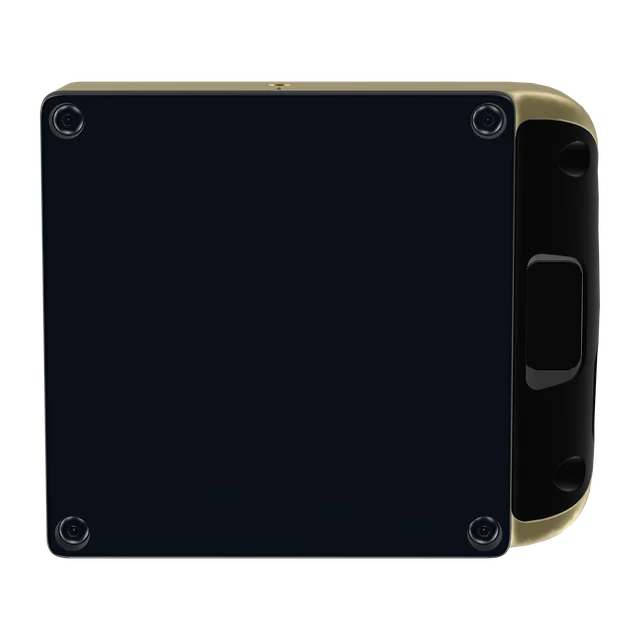
This side goes flat on the surface.
Want to see inside before the next hole?
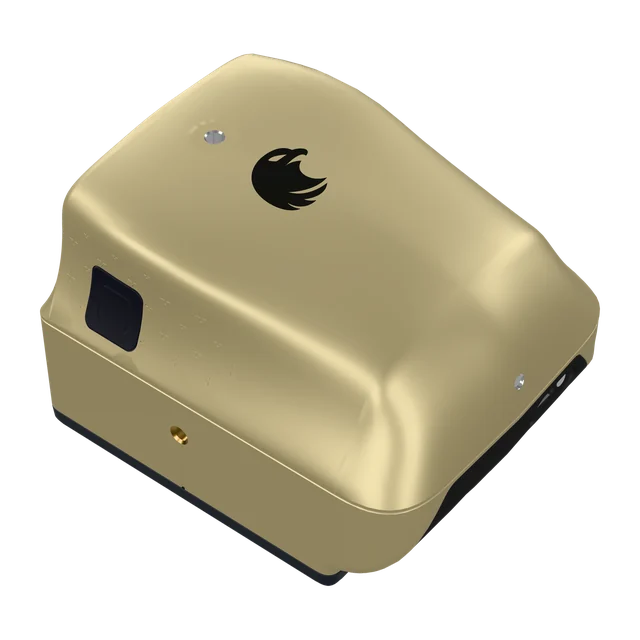
Eagle XR is a pocket concrete scanner that pairs with your phone and shows rebar, cables, plastic pipes and air voids at their depth. Stated depth in concrete: up to 40 cm. CHF 3,950 excluding VAT, import taxes and delivery.
Buy in Solar GoldPartner link: we may earn a commission. You pay Screening Eagle's normal price.
- Sold and shipped by Screening Eagle
- Same price in all four finishes
- Card, Apple Pay or Google Pay
- Express shipping from Switzerland. US orders ship from Pennsylvania
Sources
- GSSI, Concrete Handbook MN72-367 Rev H, atecorp.com
- Screening Eagle, Eagle XR product page and FAQ, read 3 November 2026, xr.screeningeagle.com